Command guide
Every command, by what it is for
Names and parameters are read from the bot itself, so this page matches what you see in Discord. Free commands answer questions; Premium ones act for you or make the watcher precise.
Trade mathsFree Value and RAP, on either side of a trade, at any date.
Compare two sides of a trade by value and RAP
Parameters
offer What you give. Commas or plus signs, e.g. dhop, sac + 50k robux optional request What you get, e.g. void + 20 (a plain number means dollars) optional
How to use it
Put what you give in offer and what you get in request. Separate items with commas or plus signs. Acronyms work. A plain number is dollars; add robux or k for Robux. Example
/calc offer: valk, skotn + 50k robux request: stf
Rolimons caps added Robux at half the RAP of the offer. The card says so if you exceed it.
Value, demand and trend for one item
Parameters
item Item name, acronym, or id required
How to use it
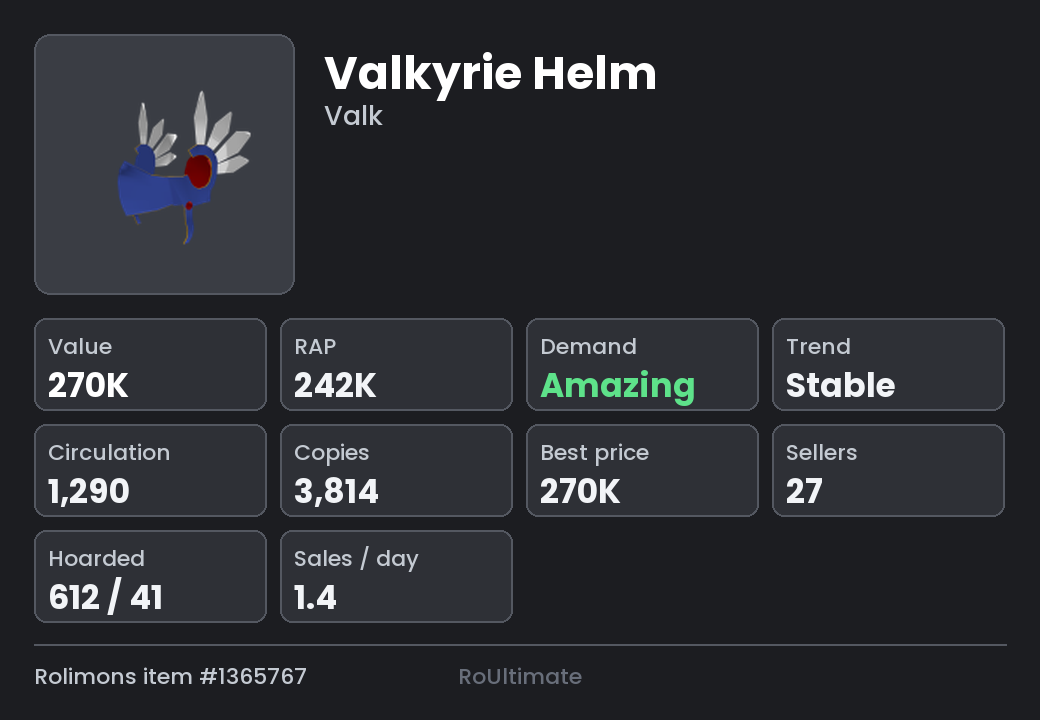
Name the item, or its acronym. The card carries value, RAP, demand, trend, how many copies exist, how many are hoarded, and how fast it sells. Example
/item input: dhop
What a set of items was worth on a past date
Parameters
items Items, e.g. 2 cf and a skotn required when A date (2024-01-15) or how long ago (6 months) required For What you would get back, to price a whole trade optional
How to use it
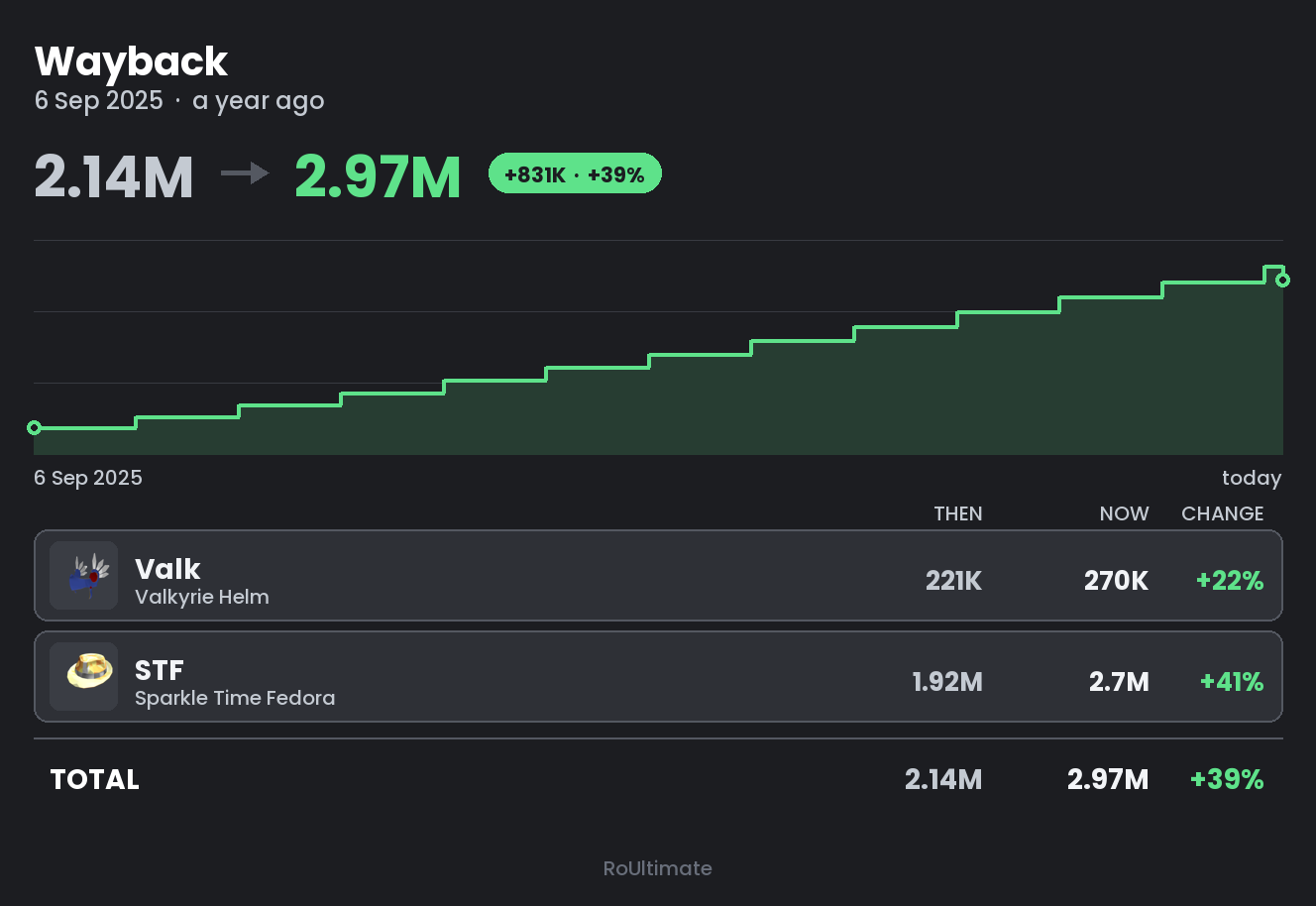
Give a pile and a date, in plain words. Add for: to price a whole trade — what you gave against what you got — on that date. Cash and Robux can sit in either pile. Example
/wayback input: 2 valk and a skotn for: stf when: 6 months ago
Values come from Rolimons' own change log, so the curve steps exactly where a value moved.
What a whole inventory would have been worth back then
Parameters
when A date (2024-01-15) or how long ago (6 months) required user Roblox username or user id. Leave blank for your own. optional
How to use it
Give a date. Leave user blank for your own inventory. Every item is priced on that date and today, with the difference on each. Example
/waybackinv when: 1 year ago
The whole catalogue's history is cached in the background, so this answers for any player without waiting.
InventoriesFree Anyone's limiteds, with serials and hold timers.
Show a player's whole limited inventory
Parameters
user Roblox username or user id. Leave blank for your own. optional
How to use it
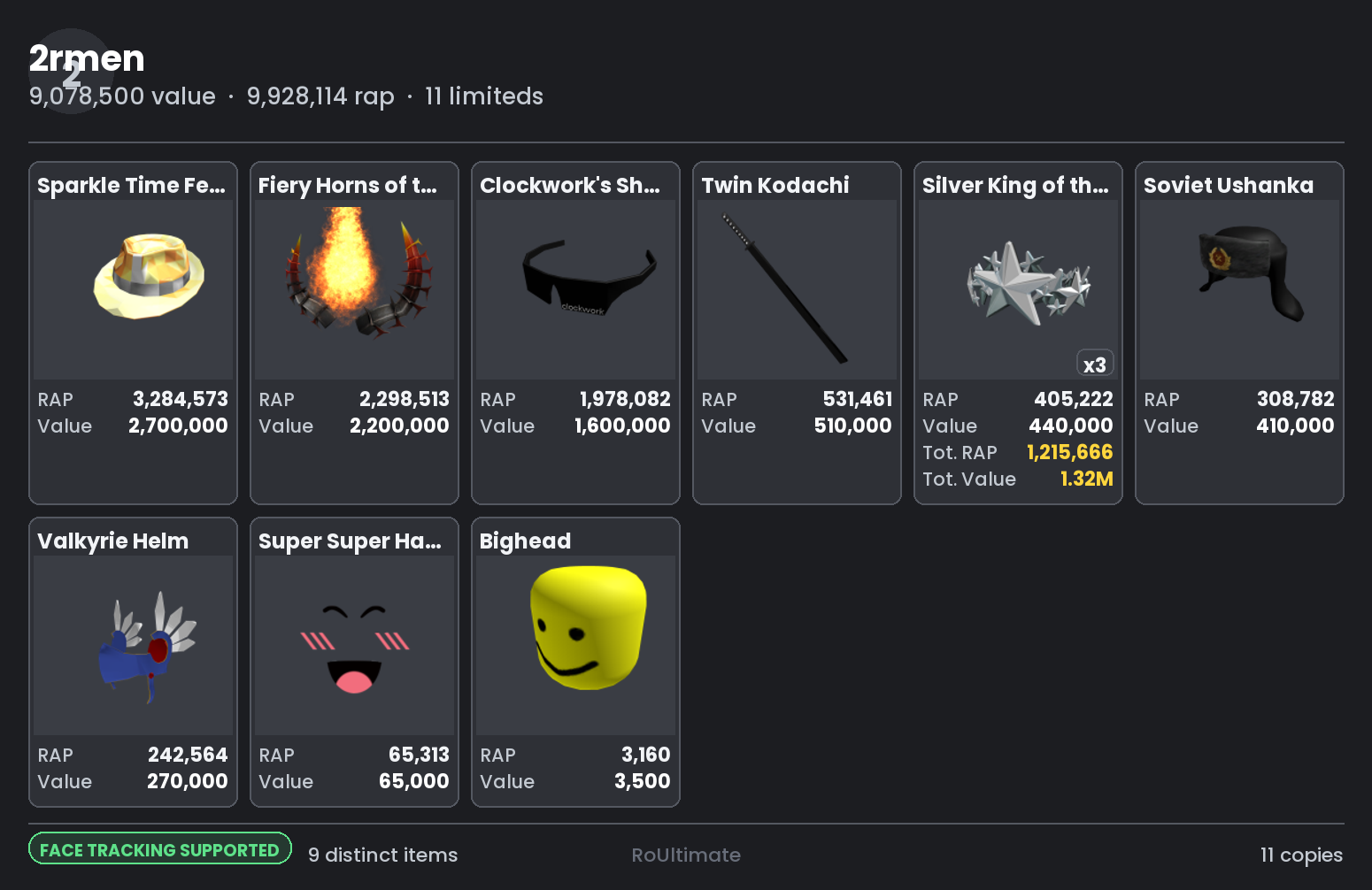
Name a Roblox user. Blank means you. Items are sorted dearest first, with copies stacked behind a count. Page through with the buttons. Example
/inv user: 2rmen
Faces and dynamic heads are checked against Roblox's bundle list, so a face somebody sold years ago does not show. The card says whether that check succeeded.
Inventory with every copy's serial and when it comes off hold
Parameters
user Roblox username or user id. Leave blank for your own. optional
How to use it
Same as /inv, but every copy gets its own card. Each shows its serial and either OFF HOLD or when it frees up. Example
/invholds user: 2rmen
Several accounts' limiteds merged into one sheet
Parameters
users Usernames or ids, e.g. 2rmen, my_alt, storage_acc (up to 6) required
How to use it
List up to six accounts, comma separated. Copies stack across accounts: the same item on two alts shows once with an x2. Example
/vault accounts: 2rmen, my_alt, storage_acc
A trader's Rolimons profile at a glance
Parameters
user Roblox username or user id. Leave blank for your own. optional
How to use it
Name a trader. You get their Rolimons profile as a card: value, RAP, rank, and what they have been up to. Example
/user input: 2rmen
Someone's Roblox profile at a glance
Parameters
user Roblox username or user id. Blank for your own. optional
How to use it
Name a Roblox user for account age, followers, and a summary of what they hold. Example
/profile input: 2rmen
Just the avatar, full size
Parameters
user Roblox username or user id. Blank for your own. optional
How to use it
Name a user for their avatar, full size. Example
/avatar user: 2rmen
MarketFree Who is offering and who is asking, right now.
Recent ads offering an item, one row per trader
Parameters
item Item name, acronym, or id required
How to use it
Name an item. You get everyone who has offered it in the last 24 hours, one row per trader, with their value and how long they have held it. Example
/tradeads input: dhop
Recent ads asking for an item, one row per trader
Parameters
item Item name, acronym, or id required
How to use it
Name an item. Everyone asking for it in the last 24 hours. Example
/requestads input: dhop
Use this before listing something: it shows who is already looking.
Trade ad watcherFree Alerts on the ads that concern you, checked for hold and value.
Items you want alerts about when OFFERED
Subcommands
show Show both lists add Watch one item or several (item) remove Stop watching one item or several (item)
How to use it
add an item to hear about ads that offer it.remove it to stop. show lists both this and the request list.Every match is checked against the trader's inventory value and how long they have held that copy before it is sent. Example
/watchlist add input: void
Alerts land in the channel /setup made for them, or wherever /routes sends them.
Items you want alerts about when REQUESTED
Subcommands
show Show both lists add Alert when anyone asks for these items (item) remove Stop alerting on requests for these (item)
How to use it
add an item you own to hear about ads that ask for it.Anything you actually hold is watched automatically, so this is for items you do not own yet. Example
/requests add input: pois
Block a trader, or show everyone blocked
Parameters
user Roblox username or id. Leave blank to see the list. optional
How to use it
Name a trader to never hear about their ads again. Leave it blank to see the list. Example
/block user: someone
Remove a trader from the blacklist
Parameters
user Roblox username or id. Leave blank to see the list. optional
How to use it
Name a blocked trader to hear from them again. Example
/unblock user: someone
Watcher health and counters
How to use it
Uptime, ads seen, alerts sent, and when the last cycle ran. Example
/status
Server and accountFree Setting it up, keeping it running, and what it keeps about you.
Build the channels this bot needs, in this server
How to use it
Run it once in your server. It makes the channels the alerts go to, with the right permissions. Needs Manage Channels and Manage Roles. Example
/setup
Take ownership of this installation, if nobody has
How to use it
Only does anything on an installation whose owner_user_id is not set — the state where every owner-only and premium command refuses everybody, the owner included. Run it in the server the bot was installed into, with Manage Server. It makes you the owner. Once an installation has an owner it refuses, so it is never a way to take one over. Example
/claim
Ownership is changed after that by editing config.json on the server, not from Discord.
Stop polling without stopping the bot
How to use it
Stops polling the feed. The bot stays online and every other command still works. Example
/pause
Start polling again
How to use it
Starts polling again after a pause. Example
/resume
Re-read config.json without restarting
How to use it
Re-reads the configuration without a restart. Changes made in the dashboard are picked up on their own; this is for edits by hand. Example
/reload
Link your Rolimons account with a profile phrase
Parameters
player Roblox username or user id (default: yours) optional
How to use it
Run it. It gives you a phrase. Paste the phrase into your Roblox profile's About section, save, and press the button. You can delete the phrase afterwards. Example
/verify
This is what lets the bot post trade ads as you. Do it again if you see "Verification problem".
Delete everything this bot stores about you
How to use it
Deletes every setting, list and record the bot holds about your account. It asks first. Example
/forgetme
Everything RoUltimate can do
How to use it
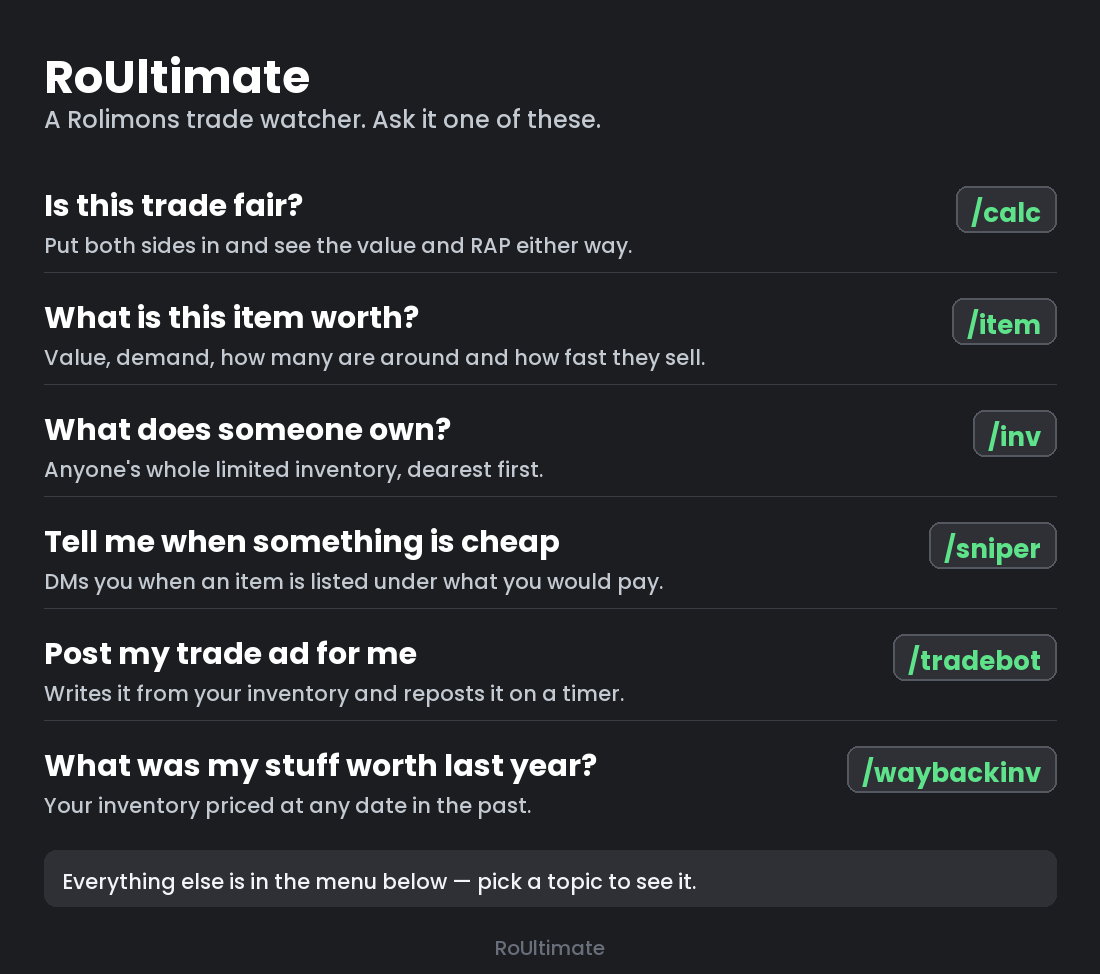
Opens on six things people usually want, in plain words. The menu underneath lists everything by topic. Example
/help
Everything under the bonnet
How to use it
The operator's panel: what the watcher is doing right now, queue sizes, cache ages, and the last error. Server owner only. Example
/admin
Pull the latest code onto the server and restart
How to use it
Fetches the latest code, shows what would change, and only deploys when you press the button. Tests run on the server before anything restarts. Server owner only. Example
/update
Republish the website, optionally redrawing its cards
Parameters
shots Redraw the screenshots from live Rolimons data (slow, a minute or two) optional
How to use it
Copies the current pages into the web root and reloads the web server. Owner only. shots: True also redraws every screenshot from live Rolimons data — a minute or two, and worth it after a renderer changes.Run it after /update, which brings the new pages down but does not publish them. Example
/site shots: True
The pictures are drawn by the bot's own card code on the server, so the site can never show something the bot does not actually draw.
SnipebotPremium Listings below value, and listings below yours, sent to your DMs.
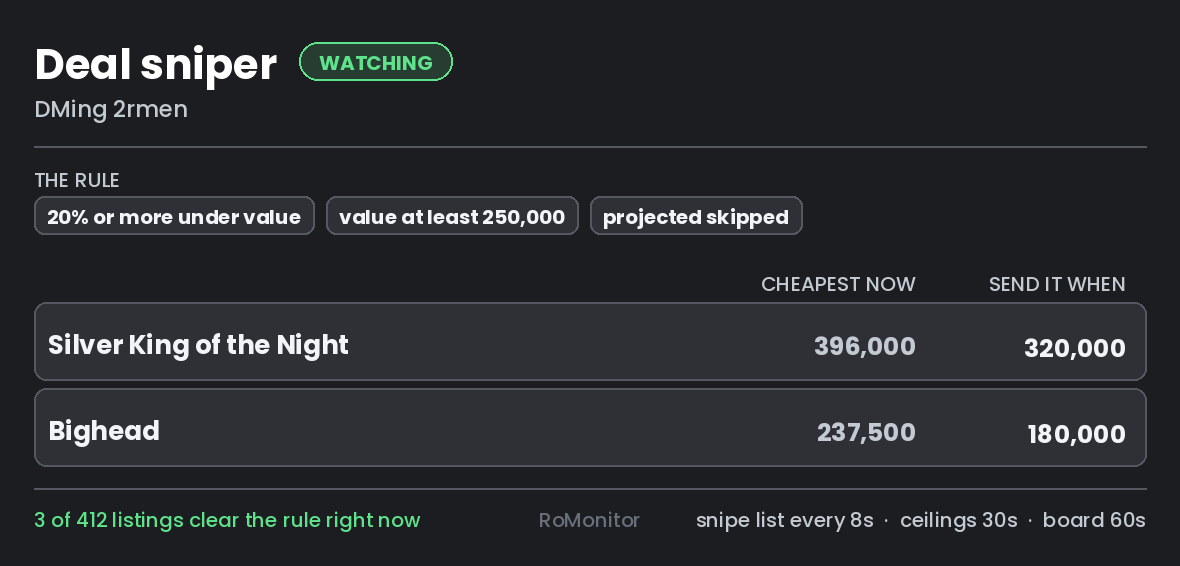
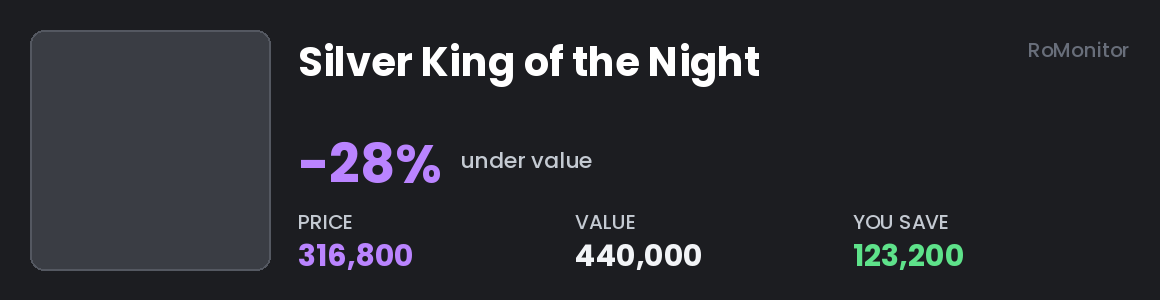
DM me when a good item is listed cheap
How to use it
Opens your sniper panel. Set the discount that counts, a value floor, and whether projected items are ignored. Press Start. Matching listings arrive as DMs. Set a ceiling on an individual item to be told when it dips under that price. Example
/sniper
Each account has its own sniper and its own settings.
Watch an item for any price cut, or see your list
Parameters
add Item to start watching optional remove Item to stop watching optional
How to use it
add an item to be told about every price cut on it, however small.Blank shows the list, with what each is going for now. Example
/snipelist add: skotn
Prices come straight from Roblox rather than Rolimons, so a listing is visible as soon as it exists.
Get DMed when someone lists cheaper than you
Parameters
item Item you have listed optional price What you are asking for it optional remove Stop defending this item optional
How to use it
Name an item you have listed and the price you are asking. You are DMed when somebody lists it for less, with the gap. Run it again with the new price after you relist. Example
/undercut item: skotn price: 45000
The price is stated because Roblox's reseller list does not say which listing is yours.
Trade ad posterPremium Your own ads, written from your inventory and posted on rotation.
Trade ads to rotate through automatically
How to use it
The roster: ads the bot posts to Rolimons for you, in turn. Add a calculation, set the interval and the daily cap, press Start. Each ad is checked against your live inventory before it goes out, so a sold item never gets advertised. Example
/tradebot
Needs /verify first. The ceiling is Rolimons' own sixty a day.
Let the bot write your trade ads from your inventory
Parameters
on Post shuffled ads instead of the written rotation optional pool Only advertise these items — leave blank for everything you own optional min_value Do not spend an ad on anything under this (0 turns it off) optional stretch How far from the offer's value it may ask, as a % (0 = anything) optional
How to use it
Hands the writing over: one item an ad, drawn so every item you own is advertised before any of them is advertised twice. The request side asks for items Rolimons rates in high or amazing demand, chosen fresh each time. pool narrows it to the items you name. min_value stops small items eating the day's ads — leave it at 0 if your inventory is small.stretch keeps the ask near the offer: 200 asks for items worth between half and double it, 0 asks for anything.Example
/adshuffle on: true min_value: 100000
It replaces the written rotation while it is on; those ads are kept, not deleted.
The daily cap still applies, so shuffling spends the same sixty ads on sixty items instead of on four.
Build your trade post from your live inventory
Parameters
lf Replace the 'LF ...' line (remembered for next time) optional exclude Items to leave out, e.g. ev, yge (remembered) optional min_value Lowest value worth listing (remembered) optional all_pages Attach every inventory page, not just the first optional
How to use it
Builds your trade post from what you currently hold. Pick what to offer and what to ask for, and copy the result into Rolimons. Example
/generatead
Post your advert into channels on a timer
Parameters
channel Channel to start posting in optional remove Channel to stop posting in optional enabled Turn the timer on or off optional interval Minutes between posts (30 or more) optional jitter Minutes of random give either side of the interval optional now Post once straight away, to see what arrives optional
How to use it
Name a channel to post your advert into, and how often. The bot posts as itself, so it needs Send Messages and Attach Files there. now posts once straight away so you can see what arrives.Example
/adpost channel: #trade-ads interval: 60
Thirty minutes is the floor and it is not configurable downward: an advert arriving more often than that in somebody else's channel is spam however it is dressed.
Profit and lossPremium What the trading actually made, in real money and in Robux.
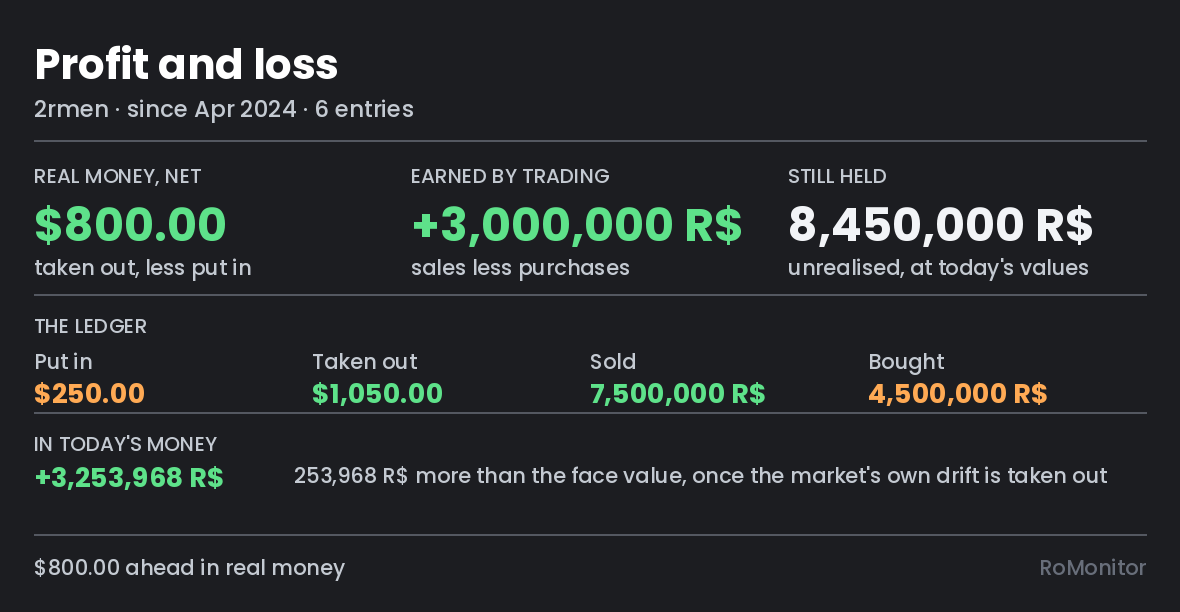
What your trading has actually made you
Subcommands
show Your trading career, in three figures add Record money in, money out, a sale or a purchase (kind, robux, usd, note, days_ago) log The entries, newest first remove Take one entry back out (entry) account Whose inventory counts as what you still hold (user)
How to use it
add each thing you did: money in, money out, sold, bought.show puts it together — cash, trading, and what you still hold, kept apart.account names the Roblox user whose inventory counts as your holdings.log numbers the entries and remove takes one back out.Example
/pnl add kind: Sold robux: 2000000 note: valk
Past Robux is restated at the market level of its own date, so a million made three years ago is not compared with a million made today.
Dollars are never restated. That would need the USD:Robux rate on every past date, which nobody recorded.
It reads only public inventory. The bot never asks for your Roblox login.
Watcher, advancedPremium The controls that make the watcher precise instead of merely on.
Items that ping you when anyone asks for them
Parameters
add Item to start pinging for optional remove Item to stop pinging for optional
How to use it
add an item that is worth interrupting you for.An ad asking for anything on the list pings you instead of waiting in a channel. The list is yours: the item nobody asks about twice a year, or the one you want gone this week. Example
/illiquid add: skotn
Give it its own ping role in the config so it is distinguishable from the ordinary alerts.
Where alerts are sent, and why
How to use it
Rules that decide where each alert goes and who gets pinged for it. A rule can require a minimum trader value, a minimum hold, or particular items, and send to its own channel. Rules are checked in order; the first match wins. Example
/routes
A route with a channel and a blank ping is how you say "send these here, quietly".
 RoUltimate